Earn from Web Development in Sri Lanka
Web development is a legitimate and powerful way for Sri Lankans to earn in LKR and foreign currency, but it is not quick or easy money. It suits people who are willing to learn consistently for several months, work through high competition, and handle unstable income in the beginning.
If you enjoy solving problems on a computer, can improve your English to an intermediate level, and are ready to build a solid portfolio before expecting good pay, web development is absolutely worth the effort.
If you need guaranteed income next month, dislike continuous learning, or cannot commit to regular practice, this method will likely frustrate you and you should avoid it.
Category: Freelancing & Remote Work
Skill: Intermediate
Competition: Medium Difficulty
Popularity: 9/10 Popularity/10
What is Web Development Money Making Method?
Web development is the work of creating and building websites and web applications that people use on the internet. In simple terms, a web developer writes code (special computer instructions) that makes websites work, look good, and function properly.
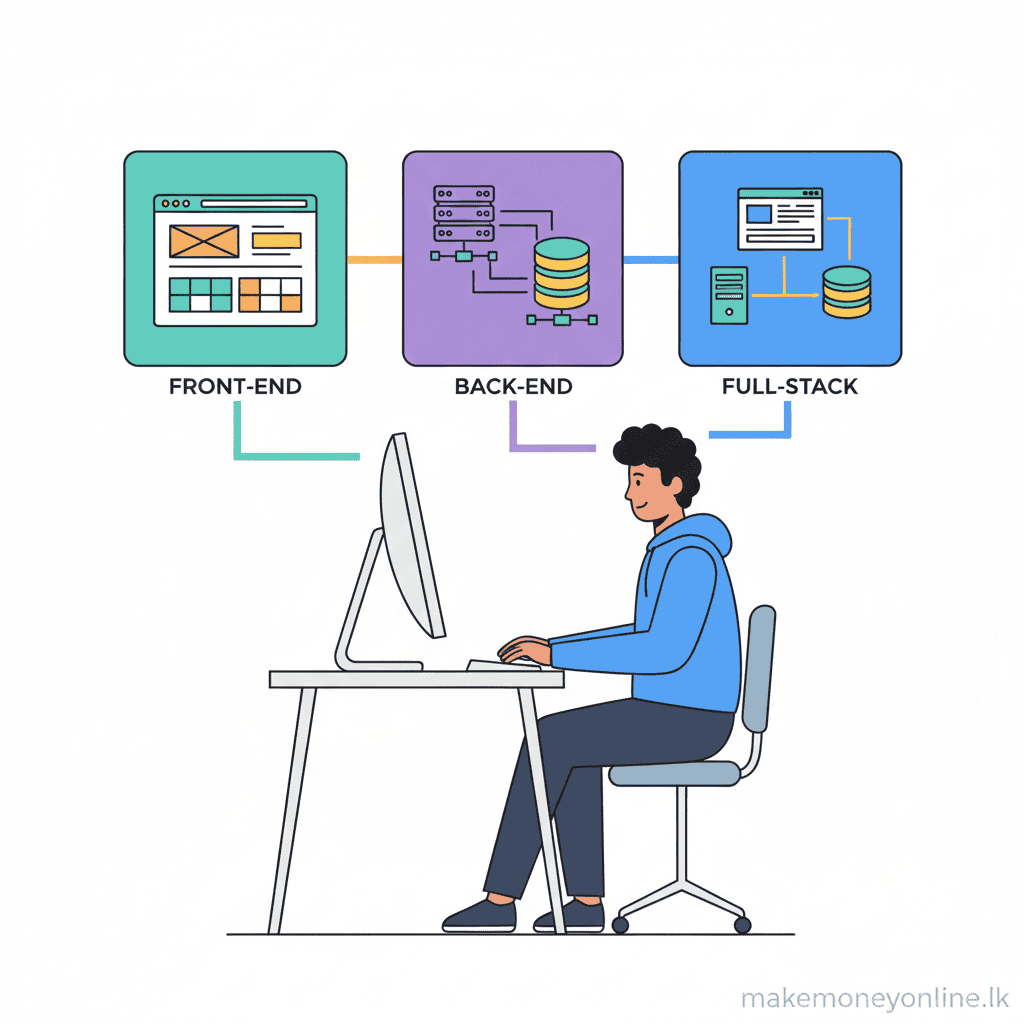
This could mean building the visual part that users see (called front-end development), the hidden technical part that makes things work (called back-end development), or both (called full-stack development).
Yes, web development is completely legitimate. It is one of the most in-demand skills in the world today. Companies, businesses, and organizations need websites and applications to reach customers, sell products, manage operations, and communicate with people. This demand exists in Sri Lanka and globally, which is why web developers are paid well and have many job opportunities.
Web development exists today because almost every business needs an online presence. From small shops selling things online to large international companies, they all need websites and apps.
Sri Lankan businesses are increasingly going online, and there is a growing need for local developers who understand both international standards and local business needs. This creates real opportunities for Sri Lankans to earn money—both by working for companies and by freelancing for clients around the world.
For Sri Lankans specifically, web development is one of the best ways to earn money online because:
- You can work from home with just a laptop and internet
- You can get paid in foreign currency (US dollars, euros), which is worth much more than Sri Lankan rupees (LKR)
- There is huge global demand, so you are not limited to Sri Lankan clients, and
- The skills are learnable—you do not need expensive education or special permission to start.
Earning Potential 📈
Beginner Web Developers (0–1 year experience):
- Freelance projects: 15,000–40,000 LKR per project (small websites, simple web pages)
- Monthly income (part-time): 30,000–80,000 LKR (2–4 small projects per month)
- Entry-level remote job: 80,000–150,000 LKR per month
Intermediate Web Developers (1–3 years experience):
- Freelance projects: 50,000–150,000 LKR per project (medium websites, e-commerce stores, custom features)
- Monthly income (full-time freelance): 150,000–400,000 LKR per month (3–5 projects)
- Mid-level remote job: 200,000–400,000 LKR per month
Expert Web Developers (3+ years experience):
- Freelance projects: 200,000–800,000 LKR per project (complex applications, custom solutions, specialized work)
- Monthly income (full-time freelance): 400,000–1,000,000+ LKR per month (high-value clients, multiple projects, retainers)
- Senior remote job: 500,000–1,200,000 LKR per month
Important notes for Sri Lanka:
- These figures are based on global freelance platforms (Upwork, Fiverr, Toptal) where Sri Lankan developers work. Local Sri Lankan salaries are typically lower.
- Payment rates depend on your skills, English ability, portfolio quality, and client location. Developers working with international clients earn significantly more than those working only with local clients.
- Currency advantage: 1 USD = approximately 330 LKR. A freelancer earning $500 per project earns 165,000 LKR—roughly equal to a 3-month local job salary.
- These are realistic averages, not guarantees. Your actual earnings depend on how much you work, your skill level, and how well you market yourself.
How Make Money Online Web Development Works?
Web development works by solving a simple problem: businesses and people need websites and applications to operate online, but they cannot build them alone. A web developer takes a client’s idea or requirement and converts it into a working website or application that users can interact with.
How value is created: You create value by understanding what the client needs, designing a solution, and writing code that makes that solution work. For example, a shop owner might need an online store to sell products. You build that store by writing code that lets customers browse items, add them to a cart, pay money, and receive order confirmations. The shop owner gets an online business, and you get paid for your work.
How money flows to you: There are three main ways to earn money as a web developer in Sri Lanka. First, you can work as a freelancer on platforms like Upwork or Fiverr. A client posts a project (for example, build a website for my restaurant), you bid on it, and if they choose you, they pay you when the work is complete. Second, you can work as a remote employee for a company outside Sri Lanka. The company hires you as a full-time or part-time employee, and you receive a monthly salary in a foreign bank account or through payment apps. Third, you can work for local Sri Lankan companies either from an office or remotely, though the pay is typically lower than freelance or remote international work.
How Sri Lankans specifically get paid: Most Sri Lankan web developers use freelance platforms or work for international companies because the pay is much higher. When you complete a project, the client releases payment to the platform (like Upwork). The platform takes a small fee (usually 5–20%) and transfers the rest to your account. You then withdraw the money to a Sri Lankan bank account, mobile wallet (like Dialog, Mobitel, or Dialog Axiata Money), or payment service (like Wise, Payoneer, or Skrill). These services convert foreign currency to LKR and add the money to your account. Some international companies directly pay into Sri Lankan banks or to services like Wise.
The work process (simplified): You receive a project brief from a client. You discuss what they want, how much they will pay, and when it needs to be finished. You then spend days or weeks writing code on your laptop. You test the website or application to make sure everything works correctly. You deliver the finished product to the client. The client tests it and approves it (or asks for changes). Once approved, you get paid. This entire process could take anywhere from a few days for a simple project to several weeks for a complex one.
Why this works for Sri Lanka: You only need a laptop with internet to do the work. You are not dependent on local job markets or salaries. You can work with clients anywhere in the world. You build skills that are always in demand. The barriers to entry are low—you do not need a degree or permission from anyone to start learning and taking on projects.
Skills & Resources Needed 🎯
Technical Skills Required:
You need to learn programming languages and tools that are used to build websites. The most important ones are HTML (the language that structures website content), CSS (the language that makes websites look good with colors, fonts, and layout), and JavaScript (the language that makes websites interactive and responsive). If you want to become a full-stack or back-end developer, you will also need to learn a back-end language like Python, PHP, Node.js, or Java. These skills are not difficult to learn—thousands of people without computer science degrees learn them every year. You do not need to be a math genius or have special talent. You just need patience and practice.
Why these skills matter: HTML, CSS, and JavaScript are the foundation of every website on the internet. Learning them first makes you immediately useful and able to take small freelance projects. Back-end languages help you build more complex applications and earn higher rates.
English Language Level:
You need intermediate English (not fluent, but confident). Why? Because most programming documentation, tutorials, and communities are in English. You will read error messages in English, communicate with international clients in English, and use English-language tools and platforms. You do not need perfect grammar or speaking skills—written English is the main requirement. If your English is currently weak, you will naturally improve it as you learn to code, because you will be reading English documentation constantly.
Device Requirements:
You need a laptop or desktop computer—a smartphone is not enough for web development work. The laptop does not need to be expensive or brand new. A basic laptop that can run Windows, Mac, or Linux operating systems is sufficient. It should have at least 4GB of RAM (memory) and 50GB of storage space. Why? Because you need to run code editors, programming tools, and browsers to test your work. These applications require more power than a phone provides.
Internet Requirements:
You need reliable internet connection with at least 2–5 Mbps (megabits per second) download speed. Why? You will download tutorials, upload your code to platforms, download client files, and communicate with clients. Occasional disconnections are normal, but you should have internet most of the day. If your internet is slow or unreliable, it will make work very difficult. A home broadband connection or 4G mobile data (with unlimited data plan) from providers like Dialog, Mobitel, or SLT works fine.
Software and Tools (All Free to Start):
You need a code editor (software to write code in)—options like VS Code or Sublime Text are free. You need a web browser (like Chrome or Firefox) to test your websites—these are free. You need version control software like Git to track your code changes—this is free. You need design and planning tools Figma has a free version. All essential tools for beginners are free. You do not need to pay for anything to start learning and building.
Other Important Skills (Non-Technical):
You need problem-solving ability. Web development is about breaking down problems and fixing errors. You will spend time debugging (finding and fixing mistakes). This requires patience and logical thinking, not exceptional intelligence. You need communication skills to understand what clients want and explain what you are doing. You need self-discipline because freelance work requires you to manage your own time and stay motivated without a boss telling you what to do. You need willingness to learn continuously because web development tools and best practices change regularly.
Best Ways to Learn It?
Free Learning Resources
These resources cost nothing and are high quality. Start here before paying for anything.
- freeCodeCamp (YouTube and website): Complete video courses on HTML, CSS, JavaScript, React, and back-end development. The videos are long (4–10 hours) but cover everything from absolute beginner to intermediate level. Completely free with no ads interrupting the lessons.
- Codecademy Free Tier: Interactive coding lessons where you write code directly in your browser and get instant feedback. The free version covers HTML, CSS, JavaScript, and Python. Great for beginners because you learn by doing, not just watching.
- Khan Academy: Free video lessons on computer science and programming fundamentals. Lessons are short (5–15 minutes) and explain concepts clearly. Good for building foundational understanding before diving into practical coding.
- W3Schools: A reference website (not video courses) with tutorials, examples, and documentation for HTML, CSS, JavaScript, and other web technologies. Bookmark this—you will use it constantly to look up syntax and solutions.
- MDN Web Docs (Mozilla): The most comprehensive documentation for web development. It is technical but extremely accurate. Use this when you need detailed explanations or when W3Schools is not detailed enough.
- YouTube channels (free): Search for web development for beginners or learn HTML CSS JavaScript. Channels like Traversy Media, Web Dev Simplified, and Programming with Mosh have excellent free tutorials. Watch 2–3 channels to find teaching styles you like.
- GitHub: A platform where programmers share code. You can browse free projects, learn from other people’s code, and host your own projects. Create a free account and start exploring.
Affordable Learning Resources (Budget-Friendly)
These cost money but are still very cheap (usually 200–1,500 LKR per course) and worth the investment once you understand the basics.
- Udemy courses: Courses typically cost 500–1,500 LKR (on sale) covering specific topics like React, Vue.js, Node.js, or full-stack development. Buy during sales (Udemy frequently discounts courses). Instructors like Jonas Schmedtmann and Stephen Grider are highly recommended.
- Coursera (audit for free, certificate costs extra): University-level courses from institutions like University of Michigan and Google. You can audit courses for free (watch all videos and do assignments) or pay for a certificate. Very credible and structured.
- Frontend Masters: Focused specifically on front-end and full-stack web development. High-quality instructors. Subscription costs around 2,000–3,000 LKR per month, but you get access to dozens of courses.
- LinkedIn Learning (through local library or university): If you have access to a university or local library in Sri Lanka, they may offer free access to LinkedIn Learning. Check with your library first before paying.
Paid Learning Resources (Premium)
These are more expensive but provide structured learning paths, mentorship, and career support. Recommended only after you have learned the basics.
- Bootcamps (online): Intensive programs (8–12 weeks) that teach you web development from zero to job-ready. Examples: General Assembly, Springboard, CareerFoundry. Cost 400,000–1,000,000 LKR. Most offer job placement assistance. Many offer pay after you get a job options for Sri Lankans.
- Scrimba: Interactive courses where you learn by building real projects. Subscription is around 1,500–2,000 LKR per month. Good for intermediate developers wanting structured learning with projects.
- One-on-one mentorship: Hire an experienced web developer as a mentor through platforms like Codementor or MentorCruise. Cost is 1,000–3,000 LKR per hour. Worth it if you are stuck and need personalized guidance, but not necessary for beginners.
Recommendation for Sri Lankans: Start with freeCodeCamp or Codecademy (free) for 4–8 weeks. Build 3–5 practice projects. Then, if you want deeper knowledge in a specific area (like React or Node.js), buy one Udemy course (500–1,500 LKR). Do not spend money on expensive bootcamps until you are sure web development is right for you.
How to Get Started 🚀
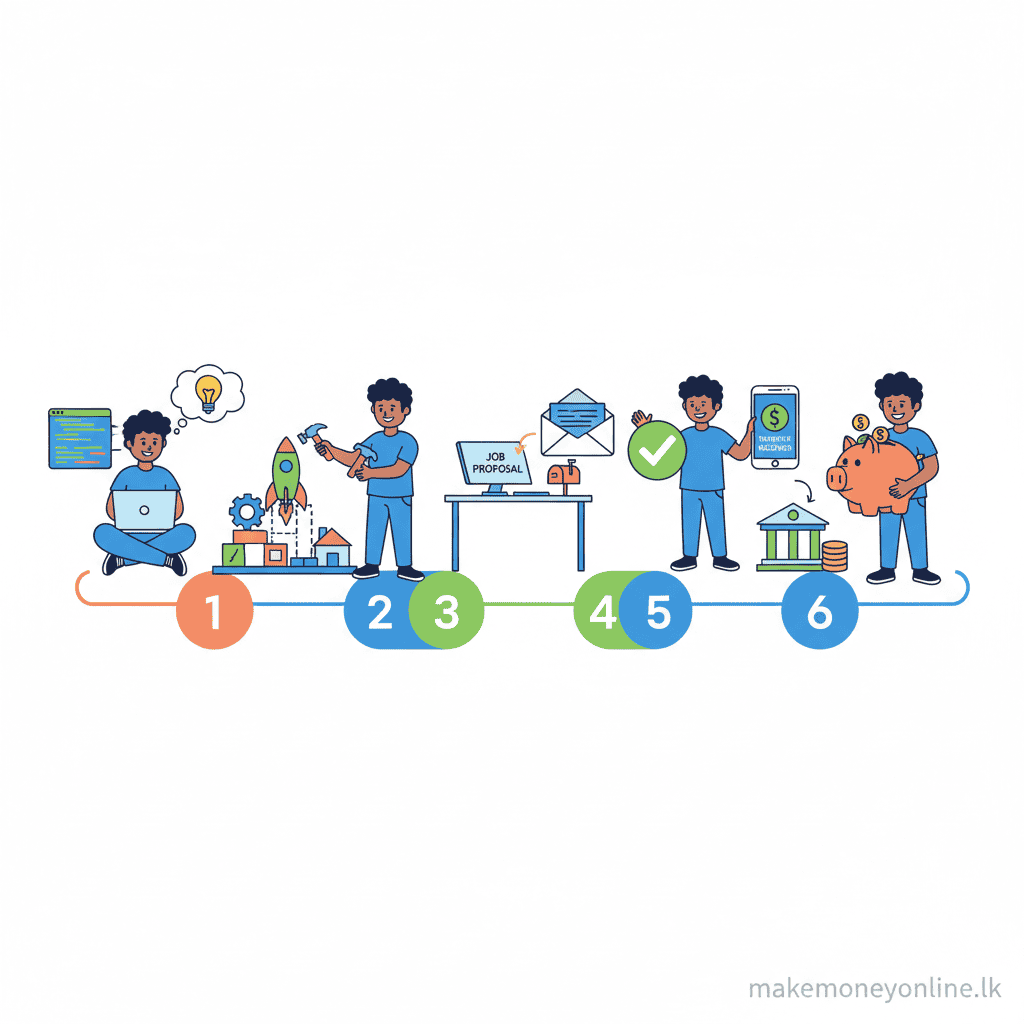
- Step 1: Learn HTML, CSS, and JavaScript basics — Start with free online courses (freeCodeCamp, Codecademy, Khan Academy). Spend 2–4 weeks learning how to structure a webpage with HTML, style it with CSS, and add interactivity with JavaScript. Build 2–3 simple practice projects (a personal portfolio page, a to-do list app, a calculator). Do not worry about perfection—focus on understanding how these languages work together.
- Step 2: Build a portfolio website — Create a simple website about yourself that shows your practice projects. This does not need to be fancy. It should include: your name, a short bio (2–3 sentences), links to your 2–3 practice projects, and a contact form. Host it for free on Netlify or Vercel (these are free hosting services). This portfolio becomes your proof that you can build websites.
- Step 3: Create accounts on freelance platforms — Sign up on Upwork, Fiverr, or Freelancer. Use your real name and a professional profile photo (a simple headshot works). Write a clear profile description: I am a web developer. I build responsive websites using HTML, CSS, and JavaScript. I am new but skilled and deliver quality work. Be honest about being a beginner—many clients hire beginners for small projects.
- Step 4: Set up payment methods — Link a Sri Lankan bank account to your freelance platform account. If your bank does not support direct international transfers, open a Wise account (formerly TransferWise) or Payoneer account. These services accept payments from freelance platforms and let you withdraw money to your Sri Lankan bank account or mobile wallet. This takes about 1–2 days to set up.
- Step 5: Create your first service or gig — On Fiverr or Upwork, create your first job posting. For Fiverr, create a gig offering to build a simple website for a low price (10–30 USD to start). For Upwork, bid on beginner-level projects (small websites, website redesigns, simple fixes). Include your portfolio link in your profile or bid message.
- Step 6: Apply for and pitch to projects — Spend 30 minutes to 1 hour daily applying for small projects. Write personalized messages to clients explaining why you are a good fit. Example message: Hi, I saw you need a website built. I specialize in creating clean, responsive websites using HTML, CSS, and JavaScript. I have built similar projects (link to your portfolio). I can deliver this in [timeframe] for [price]. Apply to 5–10 projects per day.
- Step 7: Deliver your first project — Once a client hires you, communicate clearly about what they want. Ask questions if you are unsure. Build the website or feature they requested. Test it thoroughly on different devices (phone, tablet, computer). Deliver it on time. Ask for feedback and make reasonable changes. Deliver the final version and receive your first payment.
- Step 8: Ask for a review and build momentum — After completing your first project, ask the client to leave a positive review on the platform. Good reviews are critical for getting more clients. Use the money from your first project to upgrade your skills (take a paid course on React or a back-end language). After 2–3 successful projects, you can raise your rates and be more selective about which projects you take.
Pros ✅
- High earning potential in foreign currency: Web developers in Sri Lanka can earn in US dollars, euros, or other strong currencies. 1 USD equals approximately 330 LKR. A developer earning $500 per month earns 165,000 LKR—roughly equal to or exceeding many local job salaries. This currency advantage is significant for Sri Lankan purchasing power.
- Work from anywhere: You need only a laptop and internet. You can work from home, a café, or while traveling. You are not tied to an office location or commute. This saves time and transport costs.
- Flexible work schedule: As a freelancer, you control your own hours. You can take projects that fit your schedule. You can work part-time while studying or working another job, then transition to full-time freelance work. You can take breaks when you need them.
- No formal education requirement: You do not need a university degree or special certification to start. You do not need permission from anyone. You can learn online and start earning within 2–4 months of consistent effort. This is a major advantage for people who cannot afford or access formal education.
- Global job market access: You are not limited to Sri Lankan employers or clients. You can work for companies and clients worldwide. This means access to thousands of job opportunities instead of a limited local market.
- Skills are always in demand: Businesses worldwide need websites and applications. The demand for web developers is consistently high and growing. This is not a temporary trend—it is a permanent part of modern business.
- Career progression is clear: As you gain experience and skills, your earning rate increases predictably. A beginner earns 10,000–20,000 LKR per project. An intermediate developer earns 50,000–150,000 LKR per project. An expert can earn 200,000–800,000 LKR per project or more. Your income is directly tied to your skill level and effort.
- Low startup costs: You do not need to buy expensive equipment or pay licensing fees. A basic laptop (50,000–100,000 LKR) and internet is all you need. All essential software is free. Compared to other businesses, the barrier to entry is very low.
- Build a personal brand: Your portfolio and GitHub profile become your resume. As you complete successful projects, your reputation grows. This can lead to better clients, higher rates, and opportunities for partnerships or agency work.
- Continuous learning opportunity: Web development is always evolving. New tools, frameworks, and best practices emerge regularly. If you enjoy learning, this field keeps you engaged and growing. It is never boring.
- Side income potential: Many web developers start while working other jobs or studying. You can take 1–2 freelance projects per month while maintaining other income. Once you build enough clients and reviews, you can transition to full-time freelance work.
- Path to agency or business ownership: With experience, you can hire other developers and run your own web development agency. You can build software products and sell them. You can create online courses teaching web development. Web development skills open many business opportunities.
Cons ❌
- Very high competition: Web development is popular, so thousands of developers worldwide compete for the same projects and clients. On platforms like Upwork and Fiverr, you will compete with developers from India, Pakistan, Bangladesh, Philippines, and many other countries. Many of these competitors have years of experience and lower rates than you can offer. Getting your first client is difficult because you have no reviews yet.
- Payment delays and complications: Freelance payments are not instant. Upwork holds money for 14 days after project completion before releasing it. Payment processing to Sri Lankan accounts takes 3–7 days. If there is a dispute with a client, payment can be held for weeks or months. You need savings to survive payment delays, especially when starting out.
- Payment gateway restrictions for Sri Lanka: Some platforms and payment methods have limits or fees for Sri Lankan users. Direct bank transfers from some clients may be blocked. You need to use intermediary services like Wise or Payoneer, which charge fees (1–2%) each time you withdraw money. Over time, these fees add up.
- Difficult to get first clients: Beginners with no portfolio and no reviews struggle to win projects. Clients prefer developers with experience and positive feedback. You may need to take very low-paying projects (5–10 USD) initially just to build reviews and portfolio. This is demoralizing but necessary.
- Inconsistent income: Unlike a regular job with a fixed salary, freelance income varies month to month. Some months you get many projects and earn well. Other months you get few inquiries and earn very little. This unpredictability makes budgeting difficult. You need a financial safety net.
- Client quality varies greatly: Some clients are professional and clear about what they want. Many clients are unclear, keep changing requirements, or do not pay fairly for the work. You may spend 20 hours on a project, and the client refuses to pay because they changed their mind. Platforms offer some protection, but disputes are time-consuming and stressful.
- Requires significant learning time: Before you can earn money, you need 2–4 months of consistent learning and practice. During this time, you earn nothing. If you need immediate income, web development is not a quick solution. You must have patience and be willing to invest time upfront.
- Technology changes rapidly: Web development tools, frameworks, and best practices change constantly. A skill you learned 2 years ago might become outdated. You must commit to continuous learning and updating your skills. This requires ongoing time and sometimes money for new courses.
- Requires self-discipline and motivation: As a freelancer, nobody supervises you. You must manage your own time, stay motivated, and push yourself to complete work. Some people struggle with this freedom and end up procrastinating or taking on too much work. You need strong self-discipline.
- Isolation and lack of team environment: Freelance work is solitary. You work alone on your laptop. There is no team, no colleagues to collaborate with, and no company culture. Some people find this isolating or demotivating. If you work better with a team, this might not suit you.
- Time zone challenges: If you work with international clients, you may need to communicate at odd hours. A client in the USA might message you in the evening (Sri Lankan time) expecting a response. You need flexibility with your schedule. Sleep disruption is common.
- No job security or benefits: Freelancing has no job security. If clients stop hiring you, your income stops immediately. There are no health benefits, no paid leave, no pension, no sick pay. You must save money for emergencies and future security.
- Quality expectations are high: Clients expect professional-quality work. Your code must be clean and efficient. Your websites must work perfectly on all devices and browsers. Mistakes or poor quality lead to negative reviews and lost future work. The pressure to maintain high standards is constant.
- English language barrier for some: If your English is weak, you will struggle to communicate with international clients and understand technical documentation. You will be at a disadvantage compared to developers with stronger English skills. Improving English takes time.
- Scams and exploitation risks: Fake clients try to get free work. Some clients refuse to pay after you deliver. Some platforms have been hacked or shut down (though reputable ones like Upwork are generally safe). You must be cautious and learn to identify scams.
Earning Platforms 💰
Upwork
How it works for web developers: Upwork is a freelance marketplace where clients post projects and developers bid on them. You create a profile showcasing your skills and portfolio. When a client posts a project like build a website for my business, you submit a proposal explaining why you are the right fit and what you would charge. If the client chooses you, you start work. You upload your progress and communicate with the client through Upwork’s messaging system. Once the project is complete and the client approves it, Upwork releases the payment to you after 14 days. You then withdraw the money to your bank account or payment service.
Why it is good for Sri Lankans: Upwork pays directly to Sri Lankan bank accounts through intermediary services. It has strong buyer protection and seller protection, so disputes are handled fairly. It has the largest pool of clients worldwide. You can set your own hourly rate or project price. Most importantly, Upwork has many clients who specifically want to hire from Sri Lanka because they know developers here deliver quality work at reasonable rates.
Challenges: Upwork takes 5–20% commission on your earnings (20% for your first $500 earned, then 10% up to $9,999, then 5% after that). Competition is intense. You need to bid on many projects to win clients. Getting your first project takes time and low-ball bidding.
Fiverr
How it works for web developers: Fiverr is different from Upwork. Instead of bidding on projects, you create gigs (service offerings). For example, you create a gig that says I will build a responsive website for your business for 15,000 LKR (approximately $45 USD). Clients browse gigs and hire you directly. You deliver the work, the client approves, and Fiverr releases payment to you after a few days. You then withdraw money to your bank account or payment service.
Why it is good for Sri Lankans: Fiverr is easier for beginners because you do not have to compete by bidding. Once a client hires you, the work is clear and defined. Fiverr handles all payment processing, so you do not worry about clients not paying. As you complete more gigs and get positive reviews, Fiverr increases your visibility, making it easier to get more clients. Payment is relatively fast (5–7 days after client approval).
Challenges: Fiverr takes 20% commission on every project. Starting rates must be very low ($5–$20) to get your first clients and build reviews. Once you have reviews, you can increase prices, but it takes time. Fiverr has strict quality standards and can disable your account if you receive too many complaints.
Freelancer.com
How it works for web developers: Similar to Upwork, Freelancer is a marketplace where you bid on projects. Clients post jobs, you submit proposals, and if hired, you complete the work. Payment is held by Freelancer until the client approves, then released to you.
Why it is good for Sri Lankans: Freelancer.com has strong presence in South Asia and pays well to Sri Lankan developers. It is less crowded than Upwork, so competition is slightly lower. Payment options are flexible including direct bank transfer and payment apps.
Challenges: Freelancer also takes commission (typically 10–20%). The platform is less popular than Upwork, so there are fewer projects and clients. Quality of clients can be lower than Upwork—more disputes and problematic clients.
Toptal
How it works for web developers: Toptal is a higher-end freelance network for experienced developers. You apply and go through a screening process. If accepted, Toptal connects you with high-paying clients. Work is typically long-term (weeks or months), not short projects. Payment is made monthly.
Why it is good for Sri Lankans: Toptal clients pay significantly more than Upwork or Fiverr. Projects average 100,000–500,000+ LKR per month. Clients are vetted and professional. Once you are in Toptal’s network, you do not have to bid or compete constantly—Toptal matches you with suitable projects. No commission on earnings—you keep 100% of what you negotiate.
Challenges: You must have 3+ years of web development experience to apply. The screening process is strict and difficult. Not suitable for beginners. Even experienced developers sometimes fail the screening. Getting accepted is competitive.
PeoplePerHour
How it works for web developers: Similar to Upwork and Freelancer, you create a profile and bid on hourly or project-based work. Clients post projects, you bid, and if chosen, you work and get paid hourly or at project completion.
Why it is good for Sri Lankans: PeoplePerHour has a growing community of South Asian developers. Rates are competitive. Payment is released quickly after work approval. The platform is less saturated than Upwork, so you face slightly less competition.
Challenges: Smaller platform means fewer clients and projects than Upwork. Lower volume of work overall. Commission structure is similar to other platforms (10–20%).
Direct Client Work (WordPress Agencies, Local Companies)
How it works for web developers: You contact WordPress development agencies, web studios, or local Sri Lankan companies directly. Many hire remote developers to work on projects or maintain client websites. Payment is usually monthly salary or per-project fees. Communication happens via email, Slack, or video calls.
Why it is good for Sri Lankans: Direct clients often pay better than freelance platforms because there is no middleman commission. Monthly salary offers income stability compared to project-based freelancing. You build long-term relationships with clients, reducing the need to constantly find new work.
Challenges: Finding direct clients requires more effort—reaching out, networking, pitching. You do not have platform protection if a client refuses to pay (though most legitimate companies pay). Local Sri Lankan companies typically pay lower rates than international clients. Competition from other developers is still high.
Recommendation for Sri Lankans: Start with Fiverr or Upwork as a beginner to build your first portfolio and reviews (take 2–3 months). Once you have 5–10 positive reviews, you can raise your rates and be more selective. After 1–2 years, transition to Toptal or direct client work for higher-paying opportunities and more stability.
Helpful Tools 👨💻
Free Tools
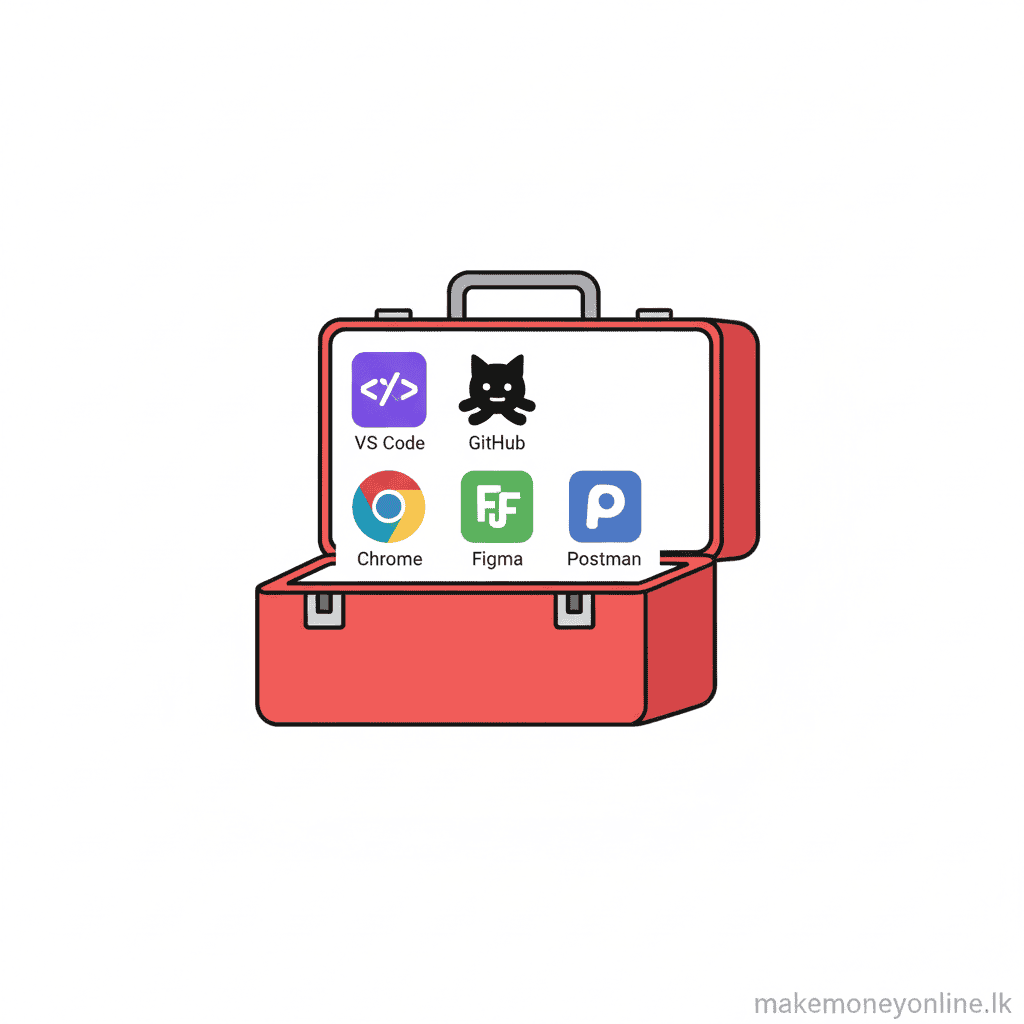
- VS Code (Visual Studio Code): The most popular code editor for web developers. It is completely free, lightweight, and works on Windows, Mac, and Linux. VS Code helps you write code faster with features like auto-completion, error highlighting, and built-in terminal. Every professional web developer uses it. Download from code.visualstudio.com.
- GitHub: A platform where programmers store and share code. It is free for public repositories (projects). GitHub lets you: (1) backup your code safely in the cloud, (2) show your projects to potential clients in your portfolio, (3) collaborate with other developers, (4) learn from other people’s open-source code. Create a free account and upload your projects. This becomes part of your professional portfolio.
- Netlify: Free hosting service for websites and web applications. You can deploy (publish) your websites here for free with a Netlify subdomain (example: myproject.netlify.app). Netlify automatically updates your site whenever you push code to GitHub. Perfect for beginners to host their portfolio and practice projects at zero cost.
- Vercel: Similar to Netlify, Vercel is another free hosting service. It is especially good for React and Next.js projects. Also gives you a free subdomain. Both Netlify and Vercel are reliable and widely used by professionals.
- Figma (Free Tier): A design tool for creating website mockups and layouts before coding. The free version lets you create and edit designs. Many clients appreciate when you show them a design mockup before building the actual website. Figma is web-based (no download needed) and works on any device.
- Chrome DevTools: Built into Google Chrome browser. Press F12 on any website to inspect how it is built. You can see the HTML, CSS, and JavaScript code of any website. Learn by studying real websites. This is one of the best free learning tools for web developers.
- Canva Free Tier: Create graphics, social media images, and simple designs without design experience. Free version has thousands of templates. Useful for creating portfolio graphics, client presentations, or social media content promoting your services.
- Google Fonts: Free, high-quality fonts for websites. Download fonts and use them in your projects. No licensing issues—all fonts are free to use commercially. This helps you make professional-looking websites without paying for premium fonts.
- Font Awesome (Free Icons): Free library of thousands of icons (images like arrows, checkmarks, social media logos). Download and use on your websites. Makes websites look more professional with minimal effort.
- Unsplash and Pexels: Free stock photo websites. Download high-quality photos for free (no copyright issues). Use these to make your website mockups and portfolios look professional. Clients often appreciate seeing sample designs with real photos.
- Postman (Free Tier): A tool for testing APIs (connections between different software systems). If you learn back-end development, you will use Postman to test your code. Free version has everything most beginners need.
- Stack Overflow: The world’s largest question-and-answer website for programmers. When you get stuck on a coding problem, search Stack Overflow. 99% of beginner problems have been answered here already. Free to use, no account needed (though creating an account is helpful).
- YouTube: Thousands of free web development tutorials on YouTube. Search how to build X with HTML CSS JavaScript and you will find step-by-step videos. Many full courses are available completely free on channels like freeCodeCamp, Traversy Media, and Programming with Mosh.
- Google Analytics (Free): Track how many people visit your website and how they interact with it. Essential for understanding if your website is working and where visitors come from. Free for websites with up to 10 million hits per month (more than enough for beginners).
- Firebase (Free Tier): A backend service by Google that lets you add user login, database storage, and authentication to your web apps. Free tier covers most beginner and intermediate projects. Great for learning full-stack development without managing servers.
- Git and GitHub Desktop: Git is version control software (tracks changes to your code). GitHub Desktop is a free, beginner-friendly app to use Git without command line. Essential for backing up code and collaborating with other developers.
- Slack Community Groups: Join free Slack communities for web developers (search web development Slack communities). Connect with other developers, ask questions, and learn from experienced people. Many communities are very active and helpful to beginners.
- Codecademy Free Tier: Interactive coding lessons where you write code and get instant feedback. The free version covers HTML, CSS, JavaScript, and SQL basics. Great for learning by doing rather than just watching videos.
Paid Tools
- Udemy Web Development Courses (500–1,500 LKR per course): High-quality courses on specific topics like React, Vue.js, Node.js, or full-stack development. Instructors like Jonas Schmedtmann and Stephen Grider are excellent. Courses typically cost 2,000–3,000 LKR full price, but Udemy frequently offers sales bringing prices down to 500–1,000 LKR. ROI: A single course teaches you skills that enable you to take on higher-paying projects (earning back the course cost in 1–2 projects). vs. Free: Free courses are good for basics, but Udemy courses are more structured, comprehensive, and project-based. Worth buying after mastering free resources.
- Frontend Masters (2,000–3,000 LKR per month subscription): Focused specifically on advanced front-end and full-stack development. High-quality instructors from major tech companies. Subscription includes access to dozens of courses. ROI: Ideal if you want to specialize in front-end or full-stack and need structured, in-depth learning. Skills from these courses directly increase your market rate. vs. Free: Much more advanced and specialized than free resources. Worth it after you master basics.
- Scrimba (1,500–2,000 LKR per month): Interactive learning platform where you write code within video lessons. You build real projects from day one. ROI: Fast learning through project-based approach. Builds portfolio while learning. Moderate cost but results are faster than free courses. vs. Free: More interactive and hands-on than watching free YouTube videos. Better for people who learn by building.
- Tailwind CSS (one-time purchase or subscription): A CSS framework that speeds up website design. Paid version includes advanced features and components. ROI: Once you learn Tailwind, you can build professional-looking websites 3–4x faster. Enables you to take on more projects and earn more. vs. Free: Free alternatives exist (Bootstrap), but Tailwind is faster and more modern. Worth learning once you are comfortable with basic CSS.
- Premium WordPress Themes (2,000–5,000 LKR per theme): Pre-built website templates that you customize. Useful if you want to offer website building services quickly without coding everything from scratch. ROI: Allows you to deliver projects faster and take on more clients. Enables you to charge more for ready-made solutions while spending less time. vs. Free: Free themes exist, but premium themes are higher quality, have better support, and look more professional. Good investment if you plan to specialize in WordPress.
- Cloud Hosting Services (AWS, DigitalOcean, Heroku – 2,000–10,000 LKR per month): Servers to host back-end applications and databases. Essential if you build full-stack or back-end applications. ROI: Required for advanced projects. Enables you to take on higher-paying full-stack jobs. These services pay for themselves on the first high-value client project. vs. Free: Free tiers exist but are limited. Paid plans offer reliability and scalability needed for professional applications.
- IDE Tools (IntelliJ IDEA, WebStorm – 2,000–3,000 LKR per month subscription): Advanced code editors with more features than VS Code. Faster coding, better debugging, professional tools. ROI: Increases productivity and code quality. Mainly for intermediate+ developers. vs. Free: VS Code is free and 90% as good for beginners. These premium IDEs are only worth paying for if you value the extra features and speed.
- Codementor or MentorCruise (1,000–3,000 LKR per hour): One-on-one mentorship from experienced developers. You get personalized guidance on specific problems or learning goals. ROI: Expensive but saves weeks of frustration. If you are stuck on a major problem or need career advice, 1–2 sessions with a mentor often pays for itself by clarifying your path. vs. Free: Free communities (Stack Overflow, Reddit) are good, but personalized mentorship is faster for getting unstuck. Worth the cost occasionally, not continuously.
- Premium Courses on Coursera or LinkedIn Learning (2,000–5,000 LKR per course or subscription): University-level and industry-certified courses. Certificates are recognized by employers and clients. ROI: Credentials can help you land better remote jobs or high-paying clients. Especially useful if you are applying to tech companies. vs. Free: You can audit free on Coursera, but certificates require payment. Worth paying if the certificate directly supports your career goal.
- Graphic Design Tools (Adobe Creative Cloud – 3,000–5,000 LKR per month): Professional design software (Photoshop, Illustrator). Useful if you want to offer design services alongside web development. ROI: Enables you to offer more complete services to clients (design + development). Can charge more for comprehensive solutions. vs. Free: Figma (free) is actually better for web design. Adobe is useful only if you need print design or advanced graphics. Not essential for web developers.
- Domain Name (.com, .lk – 500–2,000 LKR per year): Purchase a professional domain for your portfolio website instead of using a free subdomain. Example: johnsmith.dev instead of johnsmith.netlify.app. ROI: Looks more professional to clients. Domain registrars like Namecheap or GoDaddy are cheap. Worth purchasing after you have a solid portfolio. vs. Free: Free subdomains work, but a custom domain looks significantly more professional and trustworthy to clients.
- Premium Stock Photos (500–2,000 LKR per month subscriptions like Shutterstock): High-quality professional photos for client projects. ROI: Makes your client websites look more polished. Clients appreciate professional photography. Can charge more for projects with premium visuals. vs. Free: Free stock photos (Unsplash, Pexels) are good, but premium libraries have more variety and higher quality. Worth it if you do many client projects.
- Project Management Tools (Asana, Monday.com – 2,000–5,000 LKR per month): Organize client projects, deadlines, and communications. Especially useful when managing multiple clients. ROI: Prevents missed deadlines and client miscommunication. Better organization enables you to take on more projects. vs. Free: Free alternatives exist (Trello), but paid tools have more features for professional teams. Useful when you scale beyond 1–2 projects.
- Git Repository Hosting (GitHub Pro, GitLab Pro – 500–1,500 LKR per month): Upgrade from free GitHub for private repositories and advanced features. ROI: Minimal cost, useful for keeping client code private and having backup. More important for professional or agency work. vs. Free: Free GitHub is sufficient for most beginners. Upgrade when you work with sensitive client code.
Spending Recommendation for Sri Lankan Beginners: In your first 3–6 months, do not spend money on paid tools. Use free resources (VS Code, GitHub, Netlify, freeCodeCamp). Once you have your first 1–2 paying clients and earned 50,000–100,000 LKR, invest in one Udemy course (500–1,500 LKR) on a specific skill you need (React, Node.js). Buy your own domain (500–1,500 LKR) to make your portfolio more professional. After that, only buy tools that directly enable you to earn more. Do not buy tools just because they exist—every purchase should have a clear return on investment.
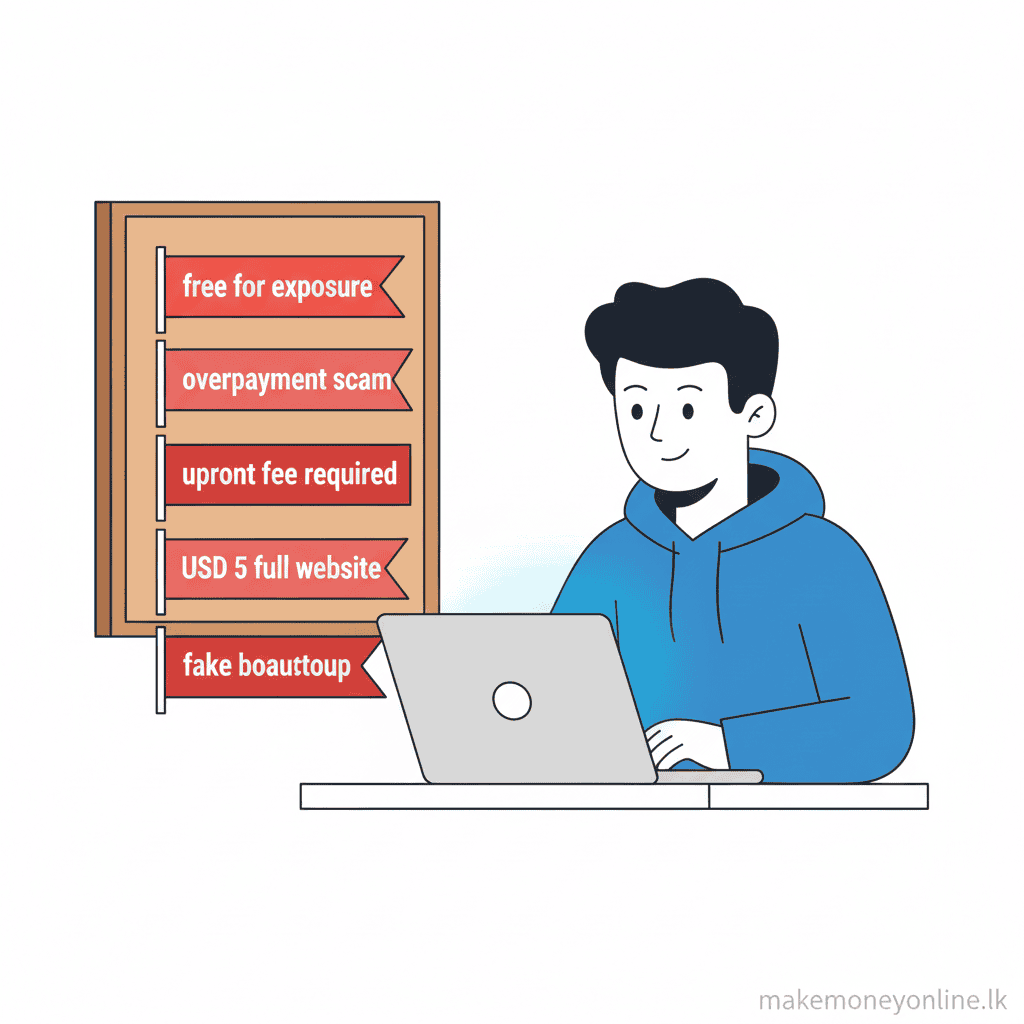
Scam Alerts 🚨
Red Flag #1: Pay to Get Work Scams
Scammers claim you must pay a fee upfront to access job listings or premium opportunities. They say: Pay 5,000 LKR to unlock high-paying projects or Buy our course to get guaranteed clients. These are lies. Legitimate platforms like Upwork and Fiverr never charge you to bid on or apply for work. They only take commission from your earnings after you complete work. If anyone asks you to pay money before you can start earning, it is a scam. Walk away immediately.
Red Flag #2: Guaranteed Income Claims
Scammers promise unrealistic earnings: Earn 500,000 LKR per month in your first month! or Make money with zero experience! Web development requires learning and skill-building. There are no guarantees. Legitimate opportunities require effort and time. If someone promises easy, fast money, they are lying. Real earnings come from real work and real skills.
Red Flag #3: Fake Clients on Freelance Platforms
Some scammers pose as clients to steal your work or money. They may: (1) hire you for a project, ask you to deliver the work, then refuse to approve it or pay, (2) ask you to work without a contract or platform protection, (3) ask you to do test work for free with promises of paid projects later (they never hire you after getting free work), (4) ask you to communicate outside the platform to avoid platform protection. Protection: Always work through Upwork, Fiverr, or legitimate platforms. These platforms hold money and protect you. Never do work without payment protection. Require at least 50% upfront payment for large projects. If a client insists on working outside the platform, it is almost certainly a scam.
Red Flag #4: Fake Gurus and Courses
Scammers sell expensive courses claiming they will teach you to become rich as a web developer. They charge 50,000–500,000 LKR for courses that teach nothing new or can be learned free online. Red flags include: Follow my secret formula to earn 1,000,000 LKR monthly, testimonials from fake success stories, pressure to buy immediately, courses sold by people with no actual web development experience. Protection: Free or cheap courses (500–2,000 LKR) from Udemy, Codecademy, or freeCodeCamp are usually legitimate. Expensive courses are rarely worth the cost. Check course reviews on Google and YouTube before buying. Real developers teach on established platforms, not through mysterious private courses.
Red Flag #5: Fake Freelance Platforms
Scammers create fake websites that look like Upwork or Fiverr. They post fake job listings to steal your personal information or money. Protection: Always verify the URL is correct (upwork.com, fiverr.com, freelancer.com). Check that the website uses HTTPS (secure connection). Use only official apps from the Google Play Store or Apple App Store. If a site looks suspicious or has poor design, it probably is fake. Legitimate platforms invest in professional websites.
Red Flag #6: Requests to Bypass Payment Systems
A client hires you on Upwork or Fiverr, then asks: Can you work outside the platform for a lower rate? I will pay you directly via bank transfer or cryptocurrency. This is a common scam. Once you leave the platform, you lose all protection. The client may not pay or may claim the money was sent when it was not. You have no recourse. Protection: Always complete work through the platform. Never accept direct payment arrangements from clients you meet on freelance platforms. The platform protects you. A small platform fee is worth the security.
Red Flag #7: Requests for Banking Information or Passwords
Legitimate platforms and employers will never ask for your bank account number, PIN, password, or personal ID details via email or message. If someone asks, it is 100% a scam. Scammers collect this information to steal money or your identity. Protection: Never share banking details, passwords, or ID information through messages or email. Banks and legitimate companies only request this through secure, official channels. If unsure, call your bank directly to verify.
Red Flag #8: Pressure to Act Quickly
Scammers create urgency: You must pay now or this opportunity expires in 1 hour! or This job is available only today! Quick, apply now! Legitimate opportunities do not pressure you. Scams use artificial urgency to stop you from thinking clearly. Protection: Take time to research before committing. If an offer is real, it will still be available tomorrow. Never rush decisions about money.
Red Flag #9: Requests to Work on Suspicious Projects
Some clients ask you to build websites for illegal purposes or unethical services (fake investment schemes, illegal gambling, plagiarism). Do not do this work. It could make you legally responsible or damage your reputation. Protection: Ask clarifying questions about what the website will be used for. If something feels illegal or unethical, refuse. Your reputation and legal safety matter more than one project.
Red Flag #10: Too-Good-to-Be-True Rates
A client offers 500,000 LKR for a simple task that should take 5 hours, or wants to pay you 50,000 LKR per hour when market rates are 5,000–10,000 LKR per hour. This is often a scam. Legitimate clients pay market rates. Abnormally high offers usually have hidden catch or are fake entirely. Protection: Know market rates for your skill level. If an offer is significantly higher than market rate, investigate thoroughly before accepting.
What to Do If You Suspect a Scam: Stop all communication with the person immediately. Do not send money or personal information. Report the account to the platform (Upwork, Fiverr, etc.). Contact your bank if money was already sent. File a complaint with Sri Lankan law enforcement if significant money was stolen. Learn from the experience and be more cautious next time.
Bottom Line for Sri Lankan Web Developers: Use only established platforms (Upwork, Fiverr, Freelancer, Toptal). Verify everything before trusting strangers online. If something feels wrong, trust your instinct and walk away. There are enough legitimate clients and real opportunities that you do not need to take risks with suspicious ones.
Conclusion
Web development is a legitimate and powerful way for Sri Lankans to earn in LKR and foreign currency, but it is not quick or easy money. It suits people who are willing to learn consistently for several months, work through high competition, and handle unstable income in the beginning.
If you enjoy solving problems on a computer, can improve your English to an intermediate level, and are ready to build a solid portfolio before expecting good pay, web development is absolutely worth the effort.
If you need guaranteed income next month, dislike continuous learning, or cannot commit to regular practice, this method will likely frustrate you and you should avoid it.